Phantom Blade Zero already features DLSS frame generation via NVIDIA Streamline.
On RTX 40, the driver limits it to 2x; on RTX 20/30, the add-on first rewrites the GPU code inside nvngx_dlssg.dll for sm_86/sm_75 so that the driver builds kernels that can run on these cards.
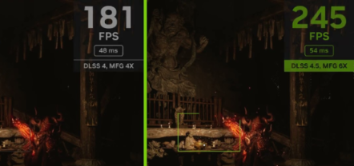
This pack adds the ReShade add-on (RenoDX MFG Unlock) to the game and unlocks DLSS-G, allowing the game's native video settings to offer 3x-6x. The game has a multiplier (ForceMultiplier=0).
This is how frame generation works: the more frames generated, the fewer actual frames per second the game displays, which increases input lag. On the 4060 Ti, a value of 3x is usually optimal—4x adds frame lag that you might not notice. Also, make sure NVIDIA Reflex/Low Latency is enabled in the game settings and that the frame rate is capped (capping the frame rate significantly reduces lag).
Installation instructions :
- Download the file;
- Unzip the archive into the game's root folder (the folder with ProjectPBZ, Engine, and platform) so that the platform folder is combined with the archive.
- Launch the game and enable DLSS frame generation.
- Select 2x/3x/4x in game video settings (RTX 40 can reach 6x)
The game also features Home → MFG Unlock → Frame multiplier
Are you experiencing frame stuttering? Solution:
- Limit the frame rate to 2-3 frames per second below the screen refresh rate (VRR)
- Enable NVIDIA Reflex / Low Latency in the game settings
Flickering at 3x frequency is usually caused by one of the following reasons:
- HDR is enabled - try SDR
- Disable dynamic resolution
After changing the settings, exit to the desktop completely / restart the game
Proxy file names
ReShade exports functions from this DLL. PBZ.exe imports dxgi.dll, VERSION.dll, user32.dll, ws2_32.dll, WINMM.dll, and dwmapi.dll.
- dxgi.dll (preferred): Imported by the game, and ReShade exports CreateDXGIFactory1 and other files; works for DX10/11/12 games.
- version.dll (alternative): The game imports VERSION.dll, and ReShade exports GetFileVersionInfoW / VerQueryValueW , so it loads anyway; use this if dxgi is busy or the game refuses to load dxgi.
- user32.dll / ws2_32.dll : Match both sides, but intercept input or network calls; only when nothing else is free.
- Don't use winmm.dll / dwmapi.dll : ReShade doesn't export these functions and the game won't launch; dwmapi is also owned by UE4SS.
- There must be exactly one proxy DLL file in the folder.
Yes, it doesn't depend on the specific game. The add-on increases the DLSS-G ceiling within the driver, so any game that already has built-in DLSS framerate generation (Streamline) can use it—on the RTX 40, this means 3x and 4x instead of 2x.
- Kingdom Come: Deliverance II
- Red Dead Redemption 2 in DX12 and Vulkan
- DOOM: The Dark Ages
- Death Stranding 2
- Horizon Zero Dawn Remastered
- Crimson Desert
- Cyberpunk 2077
Direct3D 12 games use only DLSS frame generation
NVIDIA's Vulkan generator continues to work in games
A game without built-in frame generation will gain nothing from this.
Unlocking Dynamic MFG is an experimental feature. Downloaded mods, regardless of source, are done at your own risk. Playing online with them is also risky. I and any mod creator are not responsible for any consequences resulting from downloading and using mods.



 request has been submitted successfully.


